Garage
Multiple vehicles or machines, each with photos, year, make, model, VIN, trim, engine, and drivetrain details.
Gearlog keeps your garage organized with maintenance logs, fuel tracking, mileage updates, recall lookup, private iCloud sync, and Pro tools for deeper service planning.
Interactive Tour
Click through the key screens to see how Gearlog organizes your vehicle history into a calm, clean iOS experience.
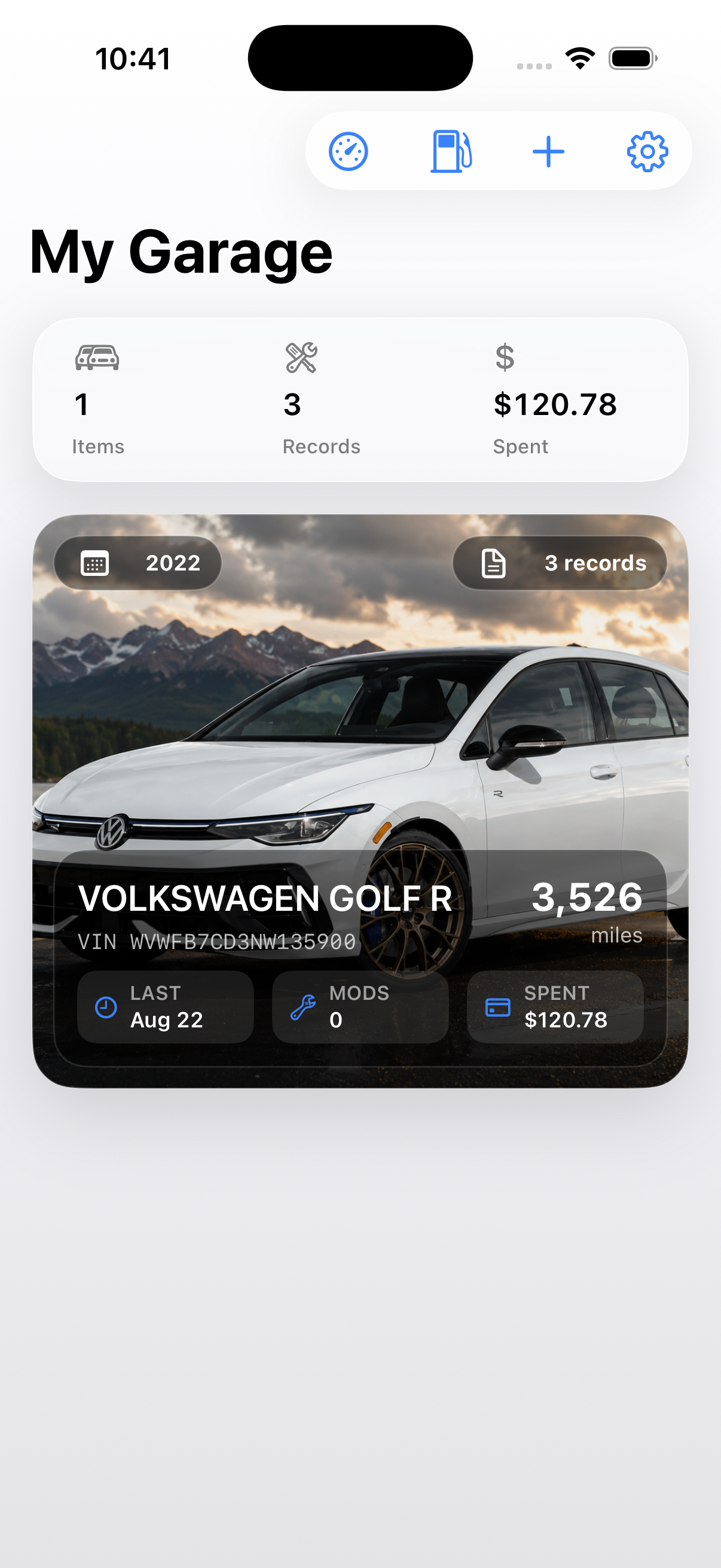
See your entire fleet at a glance with photos, specs, VINs, total lifetime maintenance cost, and current mileage.
What's included
Maintenance history, fuel logs, recall lookup, iCloud sync, PDF reports, and portable backups. All in one private app.
Multiple vehicles or machines, each with photos, year, make, model, VIN, trim, engine, and drivetrain details.
Log fill-ups or EV charging stops in seconds. Automatic MPG, cost tracking, and odometer updates.
Check official safety recall status for any vehicle using the NHTSA database, right from your garage.
Date, service type, category, odometer, cost, shop, parts, notes, and photos. A complete history for every service.
Generate a PDF service report per vehicle, or export a portable backup to save, share, or restore later.
Your garage syncs through your own Apple account via CloudKit. No Gearlog server involved. Locked with Face ID.
Gearlog can use Apple Intelligence on supported devices to help summarize and prioritize your vehicle's maintenance plan. It compares your saved mileage, service history, and configured intervals, then creates a plain-language review of what may need attention next.
Suggestions are based on saved data and general intervals. Always confirm service needs with your owner's manual or a trusted technician.
Free Tool
Look up factory specs and safety recall status from the official NHTSA database. No account required.
Fair, Simple Pricing
No mandatory accounts. No hidden subscriptions. Test everything free, and unlock unlimited power tools whenever you're ready.
Everything needed to track everyday maintenance.
For enthusiasts, multi-car garages, and deeper service planning.
Subscription handled securely through the App Store. Cancel anytime.
Community
Updates, support, and feature requests, straight from the Gearlog community.
Release notes, iOS updates, and roadmap news.
Help with iCloud sync, backups, and subscription restore.
Suggest ideas and vote on what Gearlog builds next.
Private by design
Gearlog uses Apple's CloudKit framework to sync your garage data through your Apple account. Your vehicles, records, photos, and notes stay in your private iCloud database. Gearlog does not run a separate server for your garage data.
iCloud sync keeps your devices up to date. Portable backup gives you a file you control. Use it for safekeeping, migration, or restoring later.
Read the Privacy Policy →FAQ
Sync, privacy, Pro features, backups, and more.
No. Gearlog has no account requirements, no passwords, and no login prompts. Your vehicle records are stored on your device and optionally synced through your own Apple iCloud account.